

BullMQ v6: PostgreSQL support
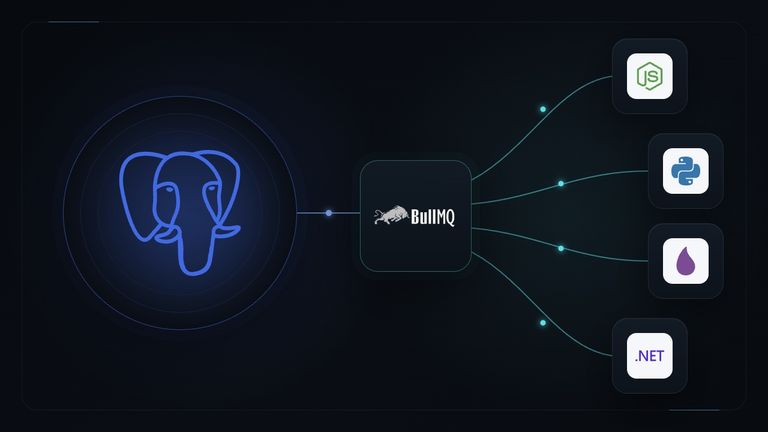




BullMQ v6 was released at the end of July. Its main addition is a PostgreSQL backend, and we waited to announce it until that backend had a few releases and fixes behind it. The Node.js library is now at 6.3.9, and this post describes v6 as it is today.
The first version of BullMQ, then called just Bull, was released in 2011, and it was designed around the atomic guarantees of Redis. The early versions did not even use Lua scripts. The whole queue was built on the blocking BRPOPLPUSH command. BullMQ has grown a lot since then, and so has Redis, both in features and in performance. Several Redis compatible servers have also appeared over the years, and some of them, like Dragonfly, are very fast.
Through all that time BullMQ has only worked with Redis. For many applications that is fine, but for many others the performance of Redis is not really needed, and running it means one more service to deploy, secure and monitor.
PostgreSQL, on the other hand, has become the default database for a large share of new applications. So it is not surprising that one question has come up again and again over the years: could BullMQ run on PostgreSQL?
My answer used to be a firm no. BullMQ is heavily optimized for Redis, and supporting a different database looked like a huge effort that was not worth it. Two things changed my mind. First, PostgreSQL now has everything needed to implement the complete BullMQ feature set atomically and with good performance. Second, LLMs made a port of this size much more manageable than it would have been a few years ago.
How we built it
We did the work in two steps. The first step, which some of you may have noticed, was making BullMQ for Node.js work with different Redis clients. BullMQ now ships adapters for ioredis, node-redis, the Redis client built into Bun, and Valkey GLIDE.
With that in place we could go one level higher. All access to the datastore now goes through a backend interface, and the Redis backend is one implementation of it. Once the Redis backend passed the test suite through that interface, we knew the interface was complete enough for a second implementation.
PostgreSQL has the features that BullMQ depends on. Every state transition that is a Lua script on Redis is a SQL function on PostgreSQL, and it runs inside a transaction, so it keeps the same atomicity guarantees. Jobs and their state live in regular tables. Workers wait for new jobs with LISTEN/NOTIFY instead of a blocking Redis command: producers send a notification and idle workers wake up.
The same SQL in every language
BullMQ is also available for Python, Elixir, PHP and .NET, and those libraries share the same Lua scripts, which is why a job added from one language can be processed by a worker written in another. We wanted the same thing on PostgreSQL, so the SQL backend is written once and reused by every library.
These are the current versions and the backends each library supports:
| Library | Version | Backends |
|---|---|---|
| Node.js | 6.3.9 | Redis, PostgreSQL |
| Python | 3.2.7 | Redis, PostgreSQL |
| Elixir | 2.2.3 | Redis, PostgreSQL |
| .NET | 1.2.1 | Redis, PostgreSQL |
| PHP | 2.0.2 | Redis |
| Rust | 1.3.3 | Redis |
Node.js also covers Bun. PostgreSQL support for Rust and PHP is coming in the fall. You can check the runtimes page to get more details on what each library supports.
The backend covers the full API: queues, workers, flows, job schedulers, rate limiting, priorities, delayed jobs, deduplication, metrics and events.
Your application code can also use the same code for the two backends (or any new we may add in the future). That is also how we test it: the shared Node.js test suite runs against PostgreSQL with only the backend swapped, and the whole suite of more than 800 tests pass unchanged. On top of that there are tests written specifically for the PostgreSQL backend, and the Python, Elixir and .NET libraries run their own tests against PostgreSQL as well. A change of this size will have bugs, but I think we are starting from solid ground, and we will fix issues as they are reported.
Getting started
You need PostgreSQL 13 or newer (14 or newer is recommended). BullMQ keeps all its tables and functions
in a schema called bullmq by default.
Node.js. Install the pg driver next to BullMQ and pass createPostgresBackend as the last constructor argument:
npm install bullmq pg
import { Queue, Worker, createPostgresBackend } from "bullmq";

const opts = {
  connection: {
    connectionString: "postgres://localhost:5432/mydb",
    migrate: true,
  },
};

const queue = new Queue("Paint", opts, createPostgresBackend);
await queue.add("cars", { color: "blue" });

const worker = new Worker(
  "Paint",
  async (job) => paintCar(job.data.color),
  opts,
  createPostgresBackend,
);
In Node.js the schema is not migrated automatically. Either pass migrate: true as above, or call runMigrations() from a deployment step. If your whole application uses PostgreSQL, you can also register it once with setDefaultBackendFactory(createPostgresBackend).
Python. Install the postgres extra, which pulls in psycopg:
pip install "bullmq[postgres]"
from bullmq import Queue, Worker

opts = {"backend": "postgres", "connection": "postgres://localhost:5432/mydb"}

queue = Queue("Paint", opts)
await queue.add("cars", {"color": "blue"})

async def process(job, token):
    return await paint_car(job.data["color"])

worker = Worker("Paint", process, opts)
Elixir. Add {:postgrex, "~> 0.22"} to your dependencies, start a connection and pass it together with the backend:
{:ok, _conn} =
  BullMQ.Backends.Postgres.Connection.start_link(
    name: :my_pg,
    url: "postgres://localhost:5432/mydb"
  )

{:ok, _job} =
  BullMQ.Queue.add("Paint", "cars", %{color: "blue"},
    connection: :my_pg,
    backend: BullMQ.Backends.Postgres
  )

{:ok, _worker} =
  BullMQ.Worker.start_link(
    queue: "Paint",
    connection: :my_pg,
    backend: BullMQ.Backends.Postgres,
    processor: &MyApp.Painter.process/1
  )
You can also set the backend once for the whole application with config :bullmq, :backend, BullMQ.Backends.Postgres.
.NET. Set Postgres on the queue and worker options:
using System.Text.Json;
using BullMQ;
using BullMQ.Postgres;

var pg = new PostgresOptions
{
    ConnectionString = "Host=localhost;Database=mydb;Username=postgres"
};

await using var queue = new Queue("Paint", new QueueOptions { Postgres = pg });
await queue.AddAsync("cars", new { color = "blue" });

await using var worker = new Worker("Paint", async (job, token) =>
{
    var data = (JsonElement)job.Data!;
    await PaintCar(data.GetProperty("color").GetString());
    return null;
}, new WorkerOptions { Postgres = pg });
Python, Elixir and .NET migrate the schema automatically when they connect. The PostgreSQL guide covers connection options, custom schemas, migrations and pool sizing in detail.
Performance
The obvious question is how PostgreSQL compares to Redis. To get a first answer we ran the same benchmark against both backends on one machine:
- MacBook Pro, M2 Pro with 12 cores
- Node.js 22.14 and BullMQ 6.3.9
- PostgreSQL 16.11 with the default configuration (
synchronous_commiton, 128 MB ofshared_buffers) - Redis 7.2.5 with persistence to the append only file disabled
- 20,000 jobs per test with an empty processor, median of 3 runs
Keep in mind that the comparison is not entirely fair to PostgreSQL. With these settings every PostgreSQL commit waits for the WAL to be flushed to disk, while Redis keeps everything in memory. You get stronger durability from PostgreSQL, and you pay for it in throughput.
Adding jobs
Adding jobs one at a time is close on both backends, because in both cases the time goes mostly to the network round trip. When many add() calls run in parallel, Redis is about three times faster, since each PostgreSQL insert is its own transaction. Batching makes a big difference: with several addBulk() calls in parallel, PostgreSQL reaches 93% of Redis. If you produce a lot of jobs, use addBulk().
Processing jobs
Processing is where the difference is largest. PostgreSQL peaks at a concurrency of 16 with around 9,400 jobs per second, which is about half of what Redis does at the same concurrency. Above that, throughput goes down on PostgreSQL, because more concurrent transactions compete for the same rows and for WAL flushes, while Redis keeps improving up to around 23,000 jobs per second.
The numbers are still high. 9,400 jobs per second is more than 750 million jobs per day from one worker, and real jobs do actual work, so for most applications the queue will not be the bottleneck. These are also results with default settings. The tuning tips in the guide explain how to size the connection pool and when to consider synchronous_commit = off, which removes the wait for the disk flush on every commit if you can accept losing the most recent commits after a crash.
As always, results depend on your hardware, your configuration and the distance between your workers and the database, so benchmark your own workload before you plan capacity.
Redis or PostgreSQL?
Redis is still the default, it has many years of production use behind it, and it is the fastest option. If you already run Redis or need the highest throughput, there is no reason to switch.
PostgreSQL makes sense if you already run it and would rather not operate another service, or if you want your jobs in the same database as the rest of your data. You can also start on PostgreSQL and move to Redis later if you need more throughput. Your code stays the same and you only change the backend, although jobs that are already queued stay in the database where they were added.
Upgrading from v5
If you use Redis, v6 stores and processes jobs the same way as v5. It does remove APIs that were deprecated during v5, and for Node.js the changes most likely to affect you are:
- ioredis is an optional peer dependency. It is no longer installed with BullMQ, so Redis users add it themselves with
npm install bullmq ioredis. PostgreSQL users installpginstead. - Legacy repeatable jobs are removed. The
repeatoption onadd()andaddBulk(), theRepeatclass,getRepeatableJobs(),removeRepeatable()andremoveRepeatableByKey()are gone. Use Job Schedulers instead. v6 raises an error if it finds legacy repeatable-job data, so migrate while you are still on v5 (see below). - Redis internals are no longer exposed on the high-level classes.
Queue#client,Queue#redisVersion,Worker#blockingClientandFlowProducer#clientare removed. If you need the raw Redis client, get it from the backend returned bygetBackend(). debounceis replaced by deduplication. Use thededuplicationoption andjob.deduplicationId, and listen for thededuplicatedevent instead ofdebounced.resume()is asynchronous and must be awaited.- The
pausedstate is gone from job counts. Jobs in a paused queue are reported aswaiting. utc: truein repeat options is replaced bytz: 'UTC'.Job#discard()is removed. Throw anUnrecoverableErrorto fail a job without retries.- Flow jobs without an explicit
jobIdget UUIDs instead of incremental ids. - Telemetry:
createGaugeis now required in telemetry adapters, and deprecated attributes were removed. - Node.js 14.17.0 or newer is required.
Python 3, Elixir 2 and PHP 2 include the equivalent changes for their APIs. The full lists are in the changelogs for Node.js, Python, Elixir and PHP.
The one change that needs planning is the removal of legacy repeatable jobs, because it affects data already stored in Redis. The recommended order is:
- Upgrade to the latest v5 release.
- Replace every use of the legacy repeatable-job APIs in your code.
- Recreate your existing repeatable jobs as Job Schedulers.
- Remove the legacy repeatable-job entries from Redis.
- Deploy v6 once every producer and worker uses Job Schedulers.
The repeat options map one to one. The job name, data and options move into the scheduler template:
// v5
await queue.add(
  "paint",
  { color: "blue" },
  { repeat: { pattern: "0 15 3 * * *" }, attempts: 5 },
);

// v6
await queue.upsertJobScheduler(
  "paint-daily",
  { pattern: "0 15 3 * * *" },
  { name: "paint", data: { color: "blue" }, opts: { attempts: 5 } },
);
The v5 to v6 migration guide has the complete checklist. If something in the upgrade does not work as described, please open an issue on GitHub.
What's next
We are working on PostgreSQL support for the Rust and PHP libraries, and on performance improvements for the PostgreSQL backend. Please try it and tell us how it works for you on GitHub.