

Bull Board vs Taskforce.sh: choosing a BullMQ dashboard


Bull Board vs Taskforce.sh
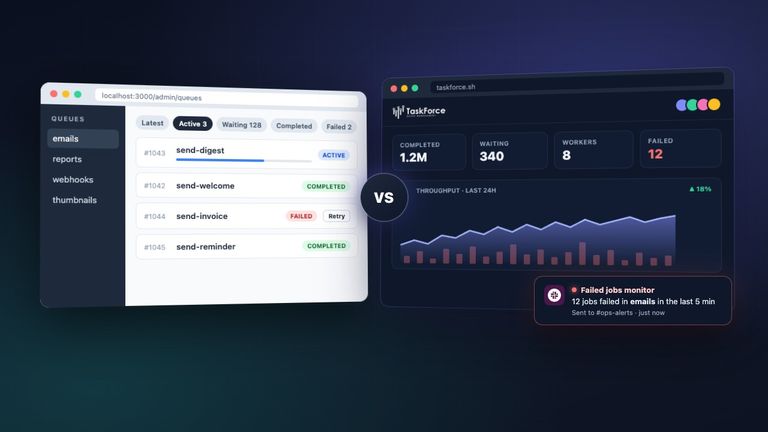
Bull Board and Taskforce.sh are the two dashboards most teams consider for BullMQ. The short answer: Bull Board is a free UI you embed in your own app; Taskforce.sh is a paid dashboard that also monitors your queues, sends alerts and manages access for a whole team. If you need to look at jobs and retry them, Bull Board is often enough. If several people run queues in production and you want to know about problems before your users do, Taskforce.sh saves you from building that yourself.
Disclosure: Taskforce.sh is made by the same team that maintains BullMQ. We have tried to be fair to Bull Board, which is a good project that many BullMQ users rely on.
Side by side
| Bull Board | Taskforce.sh | |
|---|---|---|
| Price | Free | From $19.95/month, 15-day free trial |
| License | Open source (MIT) | Commercial. The connector is open source |
| Where it runs | Inside your app, or standalone via CLI or Docker | Hosted SaaS, or on-premises via Docker or AWS |
| Setup | Install an adapter, register queues in code | Add a Redis URL, or run the connector |
| Redis exposure | Needs direct access from where it runs | Connector opens an outgoing tunnel, so Redis stays private |
| Authentication | None built in. You add your own | Built in, with organizations and teams |
| Permissions | Read-only mode and access hooks | Custom roles with 12 queue permissions |
| Alerts | None | Failed jobs, missing workers, backlog, memory, connection |
| Notifications | None | Email, Slack, PagerDuty |
| Metrics history | Optional beta package | Up to 2 weeks at 1-minute resolution |
| Job actions | Retry, promote, clean, pause, remove, and more | Retry, promote, clean, edit data, add jobs, bulk actions |
| Flows | Yes | Interactive graph, across queues |
| Job schedulers | Yes | Yes |
| BullMQ Pro groups | Yes | Yes |
| BullMQ v6 on PostgreSQL | Yes | Yes, through the connector |
| AI agents (MCP) | No | Yes, with scoped tokens and an audit trail |
| Compliance | Not applicable (self-hosted) | Vendor is SOC 2 Type II certified, GDPR compliant |
| Support | Community, GitHub issues | From the BullMQ authors |
What they look like
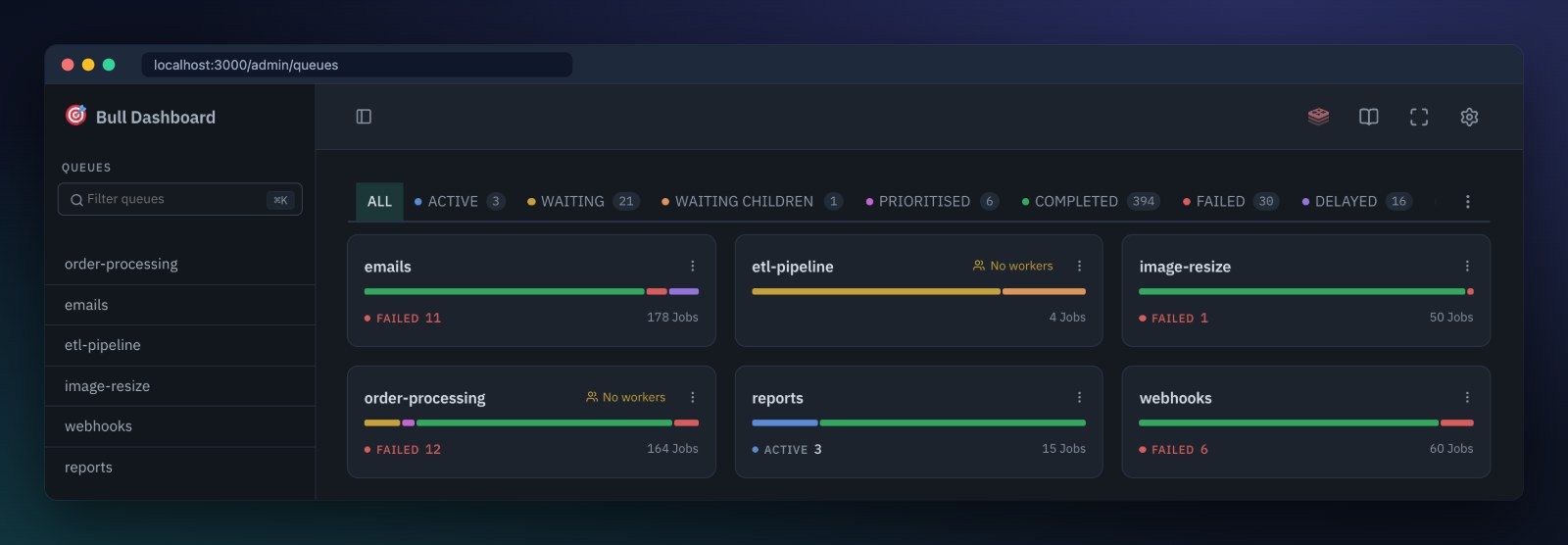
Both dashboards give you an overview of your queues and let you drill down into single jobs. Bull Board lists your queues as cards with their job counts, and marks queues that have no workers:
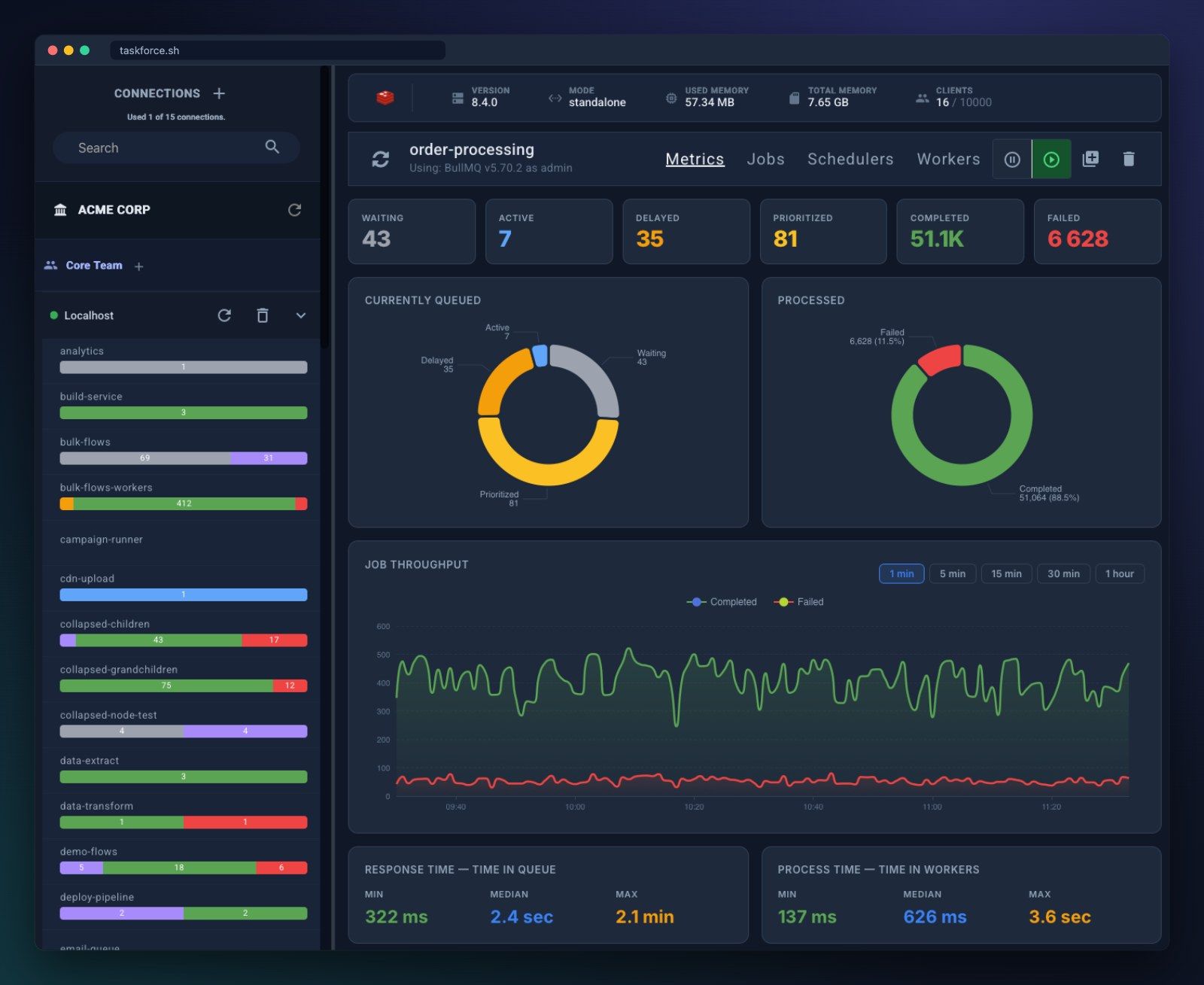
Taskforce.sh shows the state of each queue together with information about the Redis server, throughput over time and how long jobs wait and run:
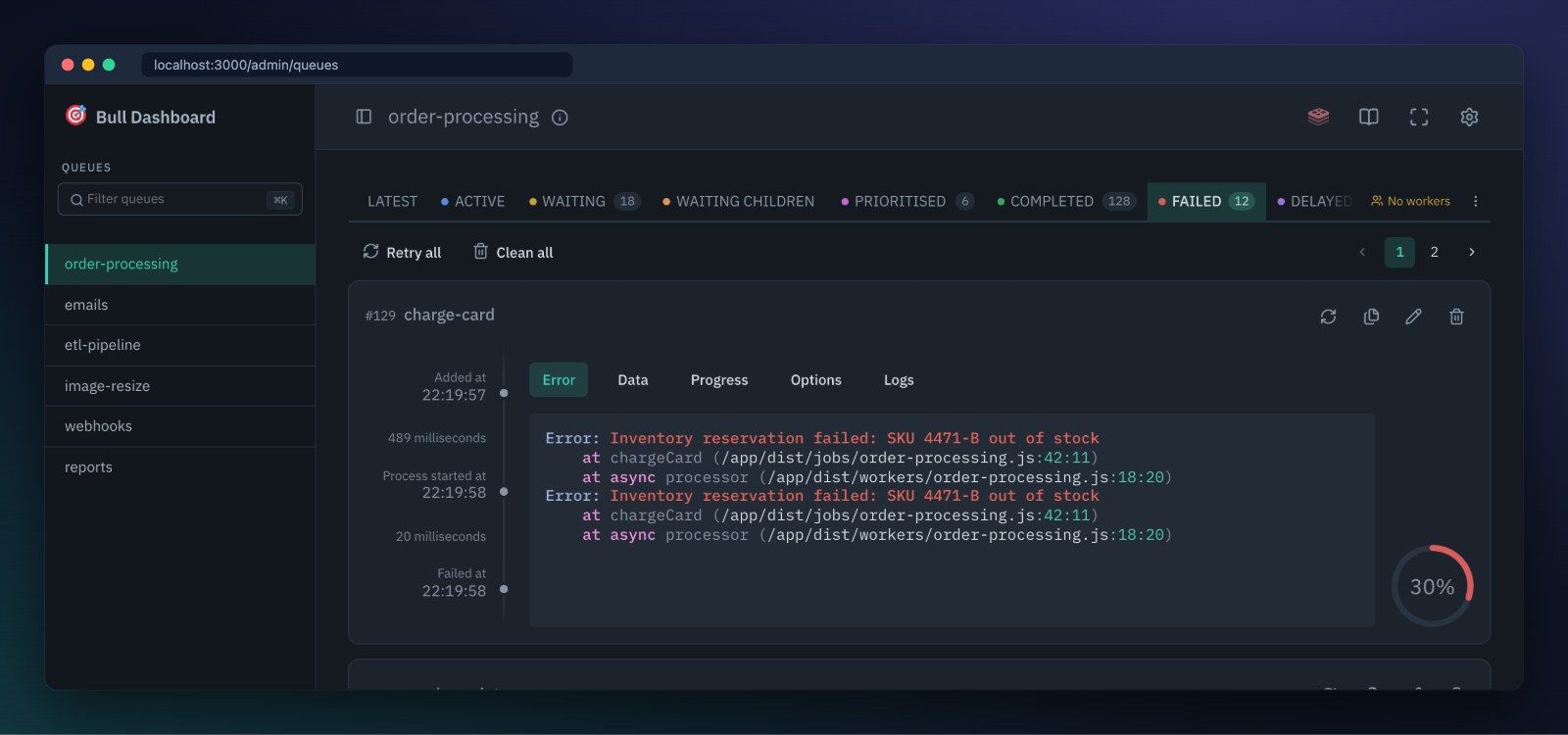
For a single job, both show its data, options, logs and errors, with buttons to retry, edit or remove it. Bull Board groups them in tabs next to a timeline of the job:
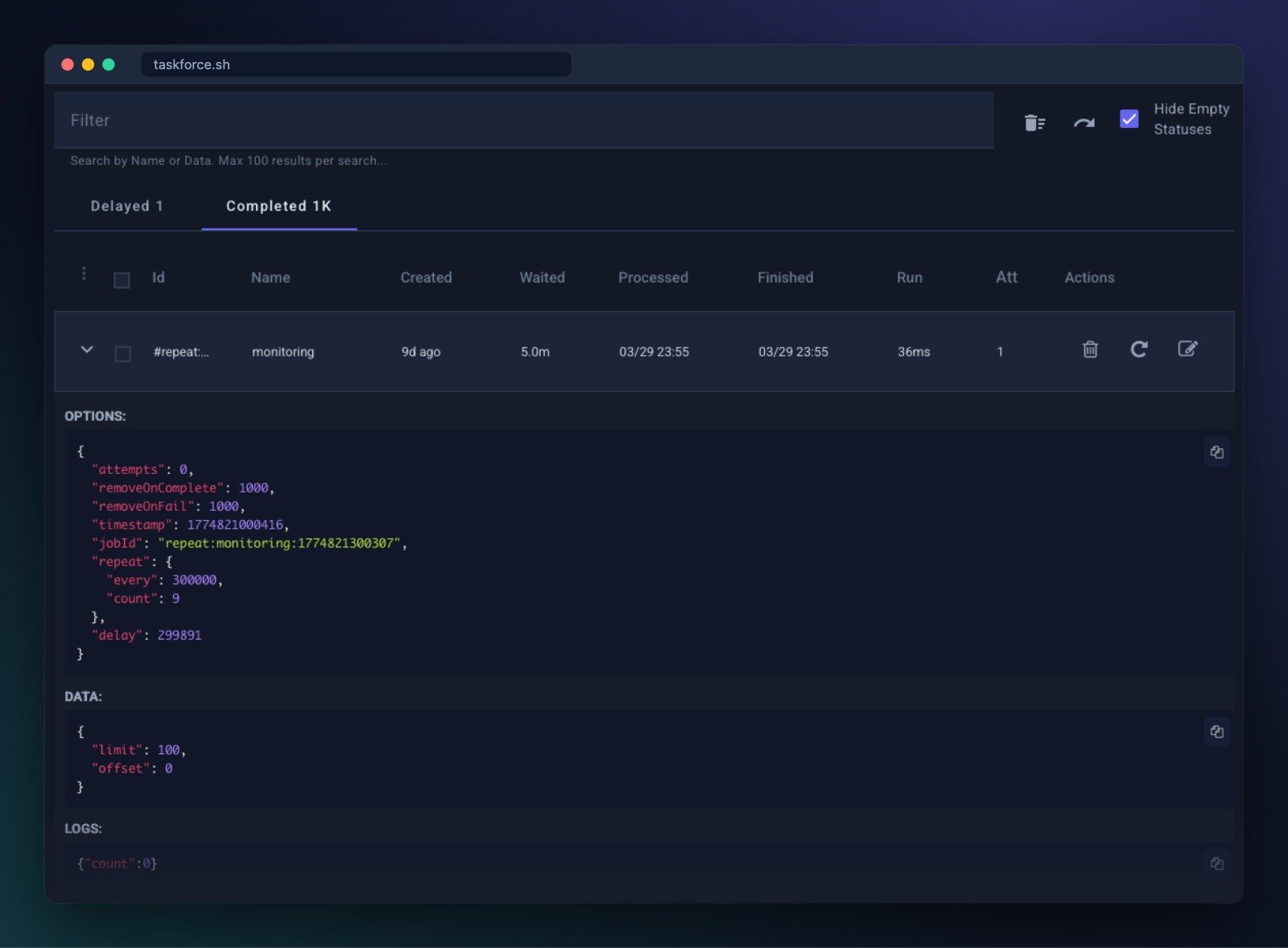
Taskforce.sh lists jobs in a table with their timings and attempts, and expands each row to show the details:
Setup and security
With Bull Board you add a package for your web framework, create adapters for the queues you want to see and mount the router:
import { createBullBoard } from "@bull-board/api";
import { BullMQAdapter } from "@bull-board/api/bullMQAdapter";
import { ExpressAdapter } from "@bull-board/express";

const serverAdapter = new ExpressAdapter();
serverAdapter.setBasePath("/admin/queues");

createBullBoard({
  queues: [new BullMQAdapter(emailQueue)],
  serverAdapter,
});

app.use("/admin/queues", requireAdmin, serverAdapter.getRouter());
Note the requireAdmin middleware. Bull Board has no login of its own, so protecting the route is your job. Anyone who can reach it can retry or delete jobs unless you enable read-only mode.
Taskforce.sh works from the outside. You either paste a Redis connection string, or run the Taskforce Connector next to your Redis:
npx taskforce-connector -n "production" -t YOUR_TOKENThe connector makes an outgoing encrypted connection to Taskforce.sh, so you don't open any ports and it works for Redis on localhost or inside a private network. Queues are discovered automatically. Users log in to Taskforce.sh, and what each of them can do is controlled by their team and role.
Monitoring and alerts
This is the largest difference. Bull Board shows the current state when you open it, and its documentation is clear that it is "a viewer, not a monitor". If a worker crashes at night, nothing tells you.
Taskforce.sh has monitors that you enable per connection:
- Failed jobs, when jobs start failing in a queue.
- Missing workers, when fewer workers than the minimum you set are processing a queue.
- Backlog, when waiting jobs pile up beyond a threshold.
- Max memory, when Redis uses more memory than the threshold you set.
- Connection, when Taskforce.sh can no longer reach your Redis.
Alerts go to email, Slack or PagerDuty. You can build the same with BullMQ events, Prometheus metrics and your own alerting rules, and some teams do. The monitoring guide shows how.
Teams and access control
Bull Board inherits whatever access control your app provides. That works well when one team owns one service.
Taskforce.sh is designed for several teams and environments. You can group connections into organizations and teams, give developers read-only access to production, let an on-call engineer retry jobs without being able to delete queues, and use custom roles built from 12 queue permissions. AI agents get their own scoped tokens, and every action they take is recorded in an audit log. Taskforce.sh Inc., the company behind Taskforce.sh and BullMQ Pro, is SOC 2 Type II certified. The audit covers how the company handles security, access and changes, which is usually what a vendor review asks for. The report is available on request, and the Trust Center lists the current controls. If your data cannot leave your network, there is also an on-premises edition.
Cost
Bull Board costs nothing beyond the time to set it up, secure it and keep it updated.
Taskforce.sh is priced per connection. A connection is one Redis instance or database, with as many queues as you like on it:
| Plan | Connections | Monthly | Yearly |
|---|---|---|---|
| Starter | 1 | $19.95 | $195 |
| Growing | 5 | $49.95 | $495 |
| Enterprise | 15 | $99.95 | $995 |
All plans include unlimited queues and users. The on-premises edition has no limits on connections or teams. Subscriptions also pay for the development of BullMQ itself.
Which should you choose?
Choose Bull Board if:
- You want a free, open source dashboard.
- You mostly need it during development, or for a single app.
- You already have authentication in your app and your own alerting.
Choose Taskforce.sh if:
- You want to be alerted about failed jobs, stuck queues or missing workers without building it yourself.
- You have several environments or Redis instances and want them in one place.
- Several people or teams need access with different permissions.
- Your Redis is in a private network and you don't want to expose it.
- You use BullMQ Pro, or want AI agents to work with your queues safely.
- Your vendor review requires a SOC 2 Type II certified company, or you need an on-premises option.
Both tools work with the same BullMQ data, so there is no lock-in. You can start with Bull Board, add Taskforce.sh when you go to production, and keep using both. Taskforce.sh has a 15-day free trial with no credit card required.