

How to monitor and manage BullMQ queues: dashboards, metrics and alerts


How to monitor and manage BullMQ queues
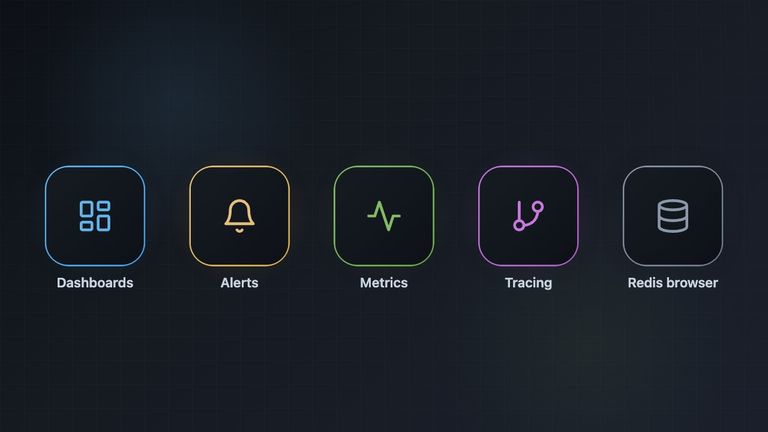
There are four kinds of tools for keeping an eye on BullMQ queues:
- An embedded dashboard such as Bull Board, which you mount in your own web server. It is free and open source.
- A dedicated dashboard with monitoring and alerts, such as Taskforce.sh, which connects to all your Redis (or PostgreSQL) instances and adds alerts, teams and access control. It is a paid service, hosted or on-premises.
- Metrics and tracing through Prometheus and Grafana or OpenTelemetry, using the exporters built into BullMQ.
- A generic Redis browser such as Redis Insight, which shows the raw keys but does not understand jobs.
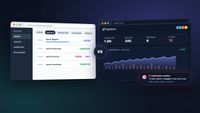
Most production setups combine a dashboard, where you inspect and act on jobs, with metrics and alerts, which tell you something is wrong when nobody is looking. The rest of this article explains what each option does and when it fits.
Disclosure: BullMQ and Taskforce.sh are built by the same team. We have tried to describe every tool fairly, including where the free options are enough.
Quick comparison
| Tool | Type | Cost | Best for |
|---|---|---|---|
| Bull Board | Embedded dashboard | Free, MIT | Development, and single apps where you already have auth |
| Taskforce.sh | Hosted or on-premises dashboard with monitors | Paid, from $19.95/month | Production teams, several environments, alerts and access control |
| Prometheus + Grafana | Metrics and alerting | Free (self-hosted) | Teams that already run Prometheus |
| OpenTelemetry | Traces and metrics | Free (plus your backend) | Following a job across services |
| Redis Insight | Generic Redis GUI | Free | Low-level debugging and memory analysis |
Bull Board
Bull Board is the most widely used open source UI for Bull and BullMQ. You install an adapter for your framework (Express, Fastify, Koa, Hapi, NestJS, Hono, H3, Elysia or Bun), register your queues and mount it on a route such as /admin/queues. It can also run on its own with npx @bull-board/cli or as a Docker image, pointed at a Redis URL.
It shows job counts per state, lets you browse jobs with their data, logs and errors, and lets you retry, promote, clean, pause and remove jobs. It has a job schedulers view, supports BullMQ Pro groups and BullMQ v6 queues on PostgreSQL, and has an optional package for keeping historical metrics.
What to keep in mind:
- It does not send alerts. Its own documentation calls it "a viewer, not a monitor". For alerts you wire BullMQ events to your own alerting.
- It has no built-in authentication. You put it behind your application's auth, and it offers read-only mode, a visibility guard and hooks for finer access control.
- It runs inside your infrastructure, so it needs direct access to your Redis, and you maintain it as part of your app.
Use it when you want a free UI for development or for one application, and you are happy to handle authentication and alerting yourself.
Taskforce.sh
Taskforce.sh is a dashboard for Bull and BullMQ made by the authors of both libraries. Instead of being mounted in your app, it connects to your Redis instances directly with a connection URL, or through the open source Taskforce Connector, which opens an outgoing encrypted connection so your Redis never has to be exposed to the internet. The connector also supports BullMQ v6 queues stored in PostgreSQL.
Besides browsing and managing jobs, it adds the things you usually need once a queue system is in production:
- Monitors and alerts for failed jobs, missing workers, queue backlogs, Redis memory and lost connections, with notifications by email, Slack or PagerDuty.
- Several connections in one place, for example production, staging and local development, each with its own queues.
- Organizations, teams and custom roles, with 12 queue permissions that control who can retry jobs, pause queues or delete data.
- Flow visualization as an interactive graph of parent and child jobs, including flows that span several queues.
- Job schedulers and repeatable jobs in their own view.
- Metrics history of up to two weeks at one-minute resolution.
- BullMQ Pro support, including groups.
- AI agents over MCP, so tools like Claude or Cursor can inspect queues and retry jobs with scoped permissions and an audit trail.
- A SOC 2 Type II certified vendor. Taskforce.sh Inc., the BullMQ team's US company, sells Taskforce.sh and BullMQ Pro and is SOC 2 Type II certified and GDPR compliant. The report is available on request and the controls are listed in the public Trust Center. See security and compliance for how Taskforce.sh connects to Redis and what it stores.
- An on-premises edition for Docker or AWS with no limits on connections or users.
Plans start at $19.95 per month for one connection, with 5 connections at $49.95 and 15 at $99.95. All plans have unlimited queues and users, and there is a 15-day free trial with no credit card. Subscriptions also fund the development of BullMQ.
Use it when several people operate your queues in production, you need alerts without building them yourself, you have more than one environment, or your security team needs access control, audit logs and a SOC 2 Type II certified vendor.
Prometheus and Grafana
If your team already uses Prometheus, BullMQ can export queue metrics in the Prometheus text format. Serve the output of exportPrometheusMetrics() from an HTTP endpoint and scrape it:
import http from "http";
import { Queue } from "bullmq";

const queue = new Queue("emails", { connection });

http
  .createServer(async (req, res) => {
    if (req.url === "/metrics") {
      res.writeHead(200, { "Content-Type": "text/plain" });
      res.end(await queue.exportPrometheusMetrics());
    } else {
      res.writeHead(404).end();
    }
  })
  .listen(9100);
You can then build Grafana dashboards and alert rules on job counts per state, for example when the number of waiting jobs keeps growing or failed jobs appear. BullMQ also keeps its own per-minute metrics of completed and failed jobs, which you enable on the worker and read with queue.getMetrics().
Use it when you want queue health in the same place as the rest of your system metrics. It tells you that something is wrong, but you still need a dashboard to look at the actual jobs and retry them.
OpenTelemetry
BullMQ supports OpenTelemetry through the bullmq-otel package. It creates spans for adding and processing jobs and propagates the context between producers and workers, so you can follow a request from your API into the job that handles it in a tool like Jaeger, Honeycomb or Datadog. It can also emit metrics such as job durations and counts.
Use it when you need to trace work across services or find out why particular jobs are slow.
Redis Insight
Redis Insight is the official GUI for Redis. It is good for looking at memory usage, running commands and browsing keys, but it does not know what a BullMQ job is. You will see the lists, sorted sets and hashes that BullMQ uses, not job states, retries or flows. It is also not an option for queues stored in PostgreSQL.
Use it when you need to debug at the Redis level, for example to find out what is using memory. Avoid editing BullMQ keys by hand, since that can leave a queue in an inconsistent state.
Alerting with your own code
If you prefer to build alerts yourself, BullMQ gives you the events you need. QueueEvents works from any process, so a small service can watch your queues and notify you:
import { QueueEvents } from "bullmq";

const events = new QueueEvents("emails", { connection });

events.on("failed", ({ jobId, failedReason }) => {
  notify(`Job ${jobId} failed: ${failedReason}`);
});

events.on("stalled", ({ jobId }) => {
  notify(`Job ${jobId} stalled`);
});
This covers failed and stalled jobs. Detecting missing workers, growing backlogs or Redis running out of memory takes more work, which is where Prometheus rules or a dashboard with monitors help.
Which one should you use?
- Just starting, or one app with a small team: Bull Board, plus alerts on the
failedevent. - Already running Prometheus and Grafana: export BullMQ metrics there for alerting, and add a dashboard for working with jobs.
- Several services, environments or teams in production: Taskforce.sh, which gives you the dashboard, monitors, notifications and access control in one place.
- Tracing across services: OpenTelemetry, in addition to one of the above.
- Investigating Redis memory or keys: Redis Insight, alongside a BullMQ-aware dashboard.
For the rest of a production setup, such as Redis persistence, maxmemory-policy, retries and graceful shutdown, see Going to production in the BullMQ documentation.